print("Study table")
print(55 + 65 + 80 + 40 + 60)
print(9 * 2 + 33)
print("Done")Study table
300
51
DoneAfter this lesson you can
In review. The maths and code on this page are checked by automated tests on every change, but an independent reader has not signed it off yet. Spot a mistake or a confusing step? Tell us.
Four lines of Python print a title, the total of five quiz scores, a predicted score and the word Done. Swap two of the lines and the computer prints the two numbers the other way round, with no warning at all. What exactly does a computer do with a program, and why does the order of the lines decide what comes out?
A program is a piece of text. It is a list of instructions, one on each line, written in a language the computer can follow. Python is such a language, and this course teaches it from the first line.
A computer follows a program the way a very literal cook follows a recipe. It starts at the first line and does exactly what that line says. Then it moves to the next line, and the next, until no lines are left. It never skips ahead and never guesses what you meant.
Four parts of the computer share the work. Name them first, then watch them work.
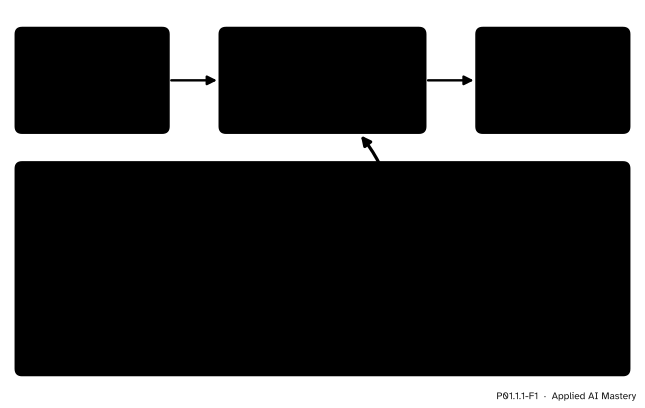
The four parts at work on a four-line program. Line 1 has been carried out and its text is on the screen. The processor has fetched line 2 and shown its total, 300. Lines 3 and 4 wait their turn.
The program sits in memory as text. The processor works down it one line at a time, and each line it finishes adds to the output.
Training a modern machine-learning model is the same picture at a vast scale. The program is longer and the data is bigger, but the processor still carries out simple instructions, a multiplication here and an addition there, one after another in the order the program gives. Such a model is trained by carrying out instructions like these billions of times.
Python’s simplest instruction is print. It shows something on the screen. Build a program from it, one instruction at a time.
Step 1. Show some text. The line print("Study table") shows the words Study table. The text goes between quotation marks, inside the round brackets. The quotes tell Python where the text starts and ends, and they are not shown.
Step 2. Show the answer to a sum. The line print(55 + 65 + 80 + 40 + 60) has no quotes, so Python first works out the sum and then shows the answer, 300. The five numbers come from the study table that runs through this course: five invented students, Ama, Ben, Chen, Dina and Eli, the hours each one studied, and their quiz scores out of 100, which are 55, 65, 80, 40 and 60. So 300 is their total score.
Step 3. Show the answer to a product. Python writes “times” as a star, *. The line print(9 * 2 + 33) shows 51. As in school arithmetic, multiplication comes before addition: first \({9 \times 2 = 18}\), then \({18 + 33 = 51}\). This is a rule the course uses to predict a quiz score from hours of study: 9 points for each hour, on top of 33. Ama studied for 2 hours, so the rule predicts 51. (ML01.4 shows where the rule comes from; here it is just arithmetic.)
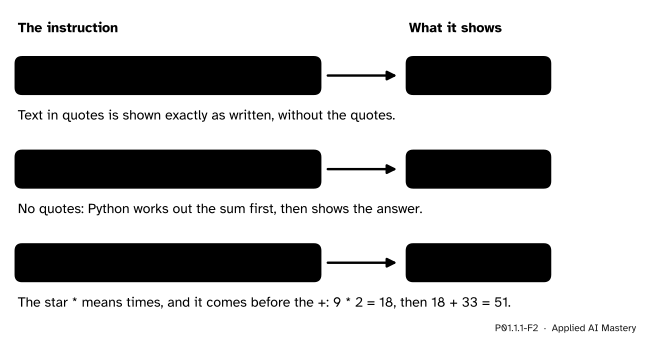
Three instructions and what each one shows. Quotes make text, which is shown as written; a sum or a product is worked out first.
Step 4. Put lines together. A program is several instructions, one per line:
print("Study table")
print(55 + 65 + 80 + 40 + 60)
print(9 * 2 + 33)
print("Done")Each print starts a new line of output, so these four instructions make four lines on the screen, in the order the instructions come.
Step 5. Exactly as written. The computer does not read for meaning. It reads characters. Put quotes round the sum, as in print("55 + 65 + 80 + 40 + 60"), and the sum turns into text, which Python shows exactly as written, plus signs and all. Leave out a bracket and Python cannot follow the line at all. The next lesson shows what happens then.
The whole lesson rests on one rule, the order in which lines run.
Programs can make the processor choose between lines, or repeat them. Those are the subject of P01.3, and even then the choice is written into the program itself.
The print statement follows three rules.
print(...) shows the value of what is inside its brackets, then moves to a new line.print shows a string exactly as it is written, without the quotes.+, - and * are worked out first, with * done before + and -, and print shows the answer.Several values separated by commas are shown on one line, with one space between them: print("Total score", 55 + 65 + 80 + 40 + 60) shows Total score 300.
Here are the two calculations of the program, with every step. Python adds from left to right, one pair at a time:
\[ \begin{aligned} &55 + 65 + 80 + 40 + 60 \\ &\quad= 120 + 80 + 40 + 60 \\ &\quad= 200 + 40 + 60 \\ &\quad= 240 + 60 \\ &\quad= 300. \end{aligned} \]
In the second, the multiplication comes first:
\[ \begin{aligned} 9 \times 2 + 33 &= 18 + 33 \\ &= 51. \end{aligned} \]
A trace table is a record of a run, made by hand. It has one row for each line carried out, in the order they run, with the line number and the output so far. From P01.2.2 on it also gets a column for each name the program makes. Tracing is slow on purpose: you do exactly what the computer does, so you see what it sees.
What does this program print?
print("Study table")
print(55 + 65 + 80 + 40 + 60)
print(9 * 2 + 33)
print("Done")Trace it, one row for each line carried out.
Step 1. Line 1 is print("Study table"). Its brackets hold a string, so print shows it as written. Output so far: Study table.
Step 2. Line 2 holds a sum with no quotes. Python works it out, 300, and shows the answer on a new line. Output so far: Study table, then 300.
Step 3. Line 3: \({9 \times 2 = 18}\), then \({18 + 33 = 51}\). Output so far: Study table, 300, 51.
Step 4. Line 4 shows Done. No lines are left, so the program ends.
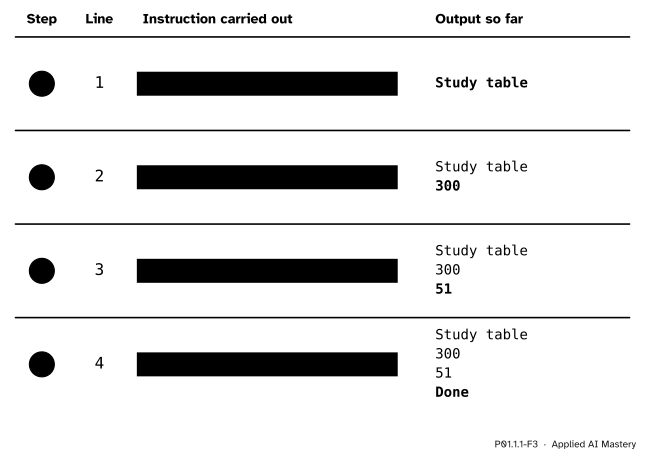
The trace table of the four-line program. Each row carries out one line; the newest output is in bold.
Now swap lines 2 and 3. The program keeps the same four lines, but lines 2 and 3 trade places:
print("Study table")
print(9 * 2 + 33)
print(55 + 65 + 80 + 40 + 60)
print("Done")
Trace it again. Step 1 shows Study table, as before. Step 2 now carries out the product, so 51 comes second. Step 3 shows 300 and step 4 shows Done.
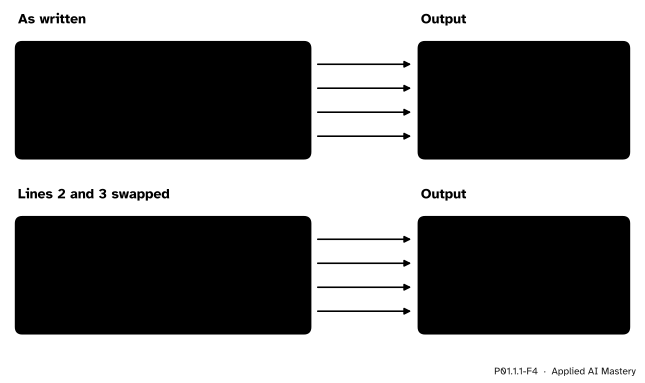
Same four instructions, different order, different output. The two lines that moved, and the two outputs they make, are shaded.
Nothing in the output says which number is the total. A reader who expects the total second would now take 51 for it. Python gave no warning, because nothing went wrong in Python’s eyes: it did what the lines said, in the order they said it.
The code on this page runs when the page is built, and what it prints appears underneath. (Lesson P01.1.3 shows how to run Python on your own computer.) First the program, as written:
print("Study table")
print(55 + 65 + 80 + 40 + 60)
print(9 * 2 + 33)
print("Done")
Study table
300
51
DoneThe output matches the trace table, line for line. Now the version with lines 2 and 3 swapped:
print("Study table")
print(9 * 2 + 33)
print(55 + 65 + 80 + 40 + 60)
print("Done")
Study table
51
300
DoneBare numbers are easy to misread. A comma lets print show a label and a value together, with one space between them:
print("Total score", 55 + 65 + 80 + 40 + 60)
print("Predicted score for 2 hours", 9 * 2 + 33)
Total score 300
Predicted score for 2 hours 51Swap these two lines and the output still reads correctly, because each value carries its own label. Last, the quotes rule, side by side:
print("9 * 2 + 33")
print(9 * 2 + 33)
9 * 2 + 33
51This module’s interactive, the line-by-line stepper, lives in lesson P01.1.2, where it also shows what a mistake in a line does. You can use it now: step through the four-line program of this lesson, watch the marker move down one line at a time while the output grows, then move a line up or down and run it again.
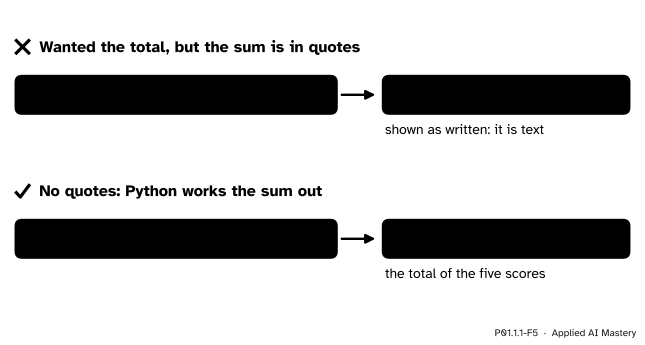
Wrong beside right. With quotes the sum is text and is shown as written; without them Python works it out.
“The computer will see what I meant.”
It sees only what you wrote. In print("55 + 65 + 80 + 40 + 60") the quotes make the sum a string, so print shows the characters and adds nothing up. Remove the quotes to get 300. In the same way, Python reads Print with a capital P as a different word from print, and stops with an error (lesson P01.1.3 reads that message).
“The order of the lines does not matter, as long as they are all there.”
The order decides the output. Swapping lines 2 and 3 of the worked example swapped the total and the prediction, and Python gave no warning. In longer programs the order decides results, not only their layout: a step of a training program done in the wrong place changes what the model learns, and no message says so.
“print works the answer out and keeps it.”
print shows a value on the screen, and that is all. The 300 on the screen is not kept anywhere the program can use it again. To keep a value for later, a program gives it a name, which is the subject of P01.2.2.
“The letter x means times.”
In Python, times is written *. A line such as print(9 x 2) is not Python, and it stops the whole program before a single line runs. The next lesson explains why it stops so early.
1. Name the four parts of a computer that run a program, and say what each one does.
The processor carries out instructions, one at a time. The memory holds the program and the values it works with. Input brings things in, such as key presses and files. Output sends things out, such as text on the screen.
2. In what order does Python carry out the lines of a program?
One at a time, from the top line down, each one completely before the next. The order is the order in which the lines are written.
3. What does print("9 * 2") show, and what does print(9 * 2) show?
The first shows the text 9 * 2, because the quotes make it a string, which is shown exactly as written. The second shows 18, because Python works out the product first.
4. What does each row of a trace table record?
One line that was carried out, in the order the lines ran: the step, the line number, the instruction and the output so far.
5. Lines 2 and 3 of the worked example are swapped. Does Python warn you, and what changes?
There is no warning. The output changes from Study table, 300, 51, Done to Study table, 51, 300, Done, because Python carries out the lines in their new order.
1. ★ Without running it, write down what this program prints.
print("Hours")
print(2 + 4 + 5 + 1 + 3)
print(9 * 4 + 33)
print("End")Trace it line by line. Line 1 shows Hours. Line 2 adds the hours the five students studied: \({2 + 4 = 6}\), \({6 + 5 = 11}\), \({11 + 1 = 12}\) and \({12 + 3 = 15}\), so it shows 15. Line 3 multiplies first, \({9 \times 4 = 36}\), then adds, \({36 + 33 = 69}\), so it shows 69: the score the rule predicts for Ben, who studied 4 hours. Line 4 shows End. The output is Hours, 15, 69 and End, one per line.
2. ★★ These four lines are in the wrong order. Put them in the order that prints Quiz report, Total, 300, End (one per line), and write the trace table of your program.
print("Total")
print(55 + 65 + 80 + 40 + 60)
print("End")
print("Quiz report")Lines run from the top, so the line that prints Quiz report must come first, then the one that prints Total, then the sum, then End:
print("Quiz report")
print("Total")
print(55 + 65 + 80 + 40 + 60)
print("End")
The trace table has four rows. Step 1, line 1: output Quiz report. Step 2, line 2: output Quiz report, Total. Step 3, line 3: the sum is 300, so the output is Quiz report, Total, 300. Step 4, line 4: output Quiz report, Total, 300, End.
3. ★★★ A program has four lines, and each one prints something different. In how many different orders can its lines be arranged, and how many different outputs can those orders produce? What changes if two of the four lines both print Done?
Choose the first line: 4 ways. For each choice, 3 lines are left for the second place, then 2 for the third, and the last line is fixed. So there are \({4 \times 3 \times 2 \times 1 = 24}\) orders. Two different orders put different lines in at least one place, and since every line prints something different, the outputs differ in that place too. So the 24 orders give 24 different outputs.
If two lines both print Done, swapping just those two leaves the output unchanged. The 24 orders then fall into pairs that print the same thing, so there are \({24 \div 2 = 12}\) different outputs.
A program is a list of instructions, carried out one at a time, top to bottom, exactly as written.
Processor, memory, input, output.
+, - and * for times, with * first: \({9 \times 2 + 33 = 51}\).Sources. Each was opened and checked against this lesson on 12 November 2026.
print with several values.+, -, * and /, and section 3.2 says that print shows strings without quotes and puts a space between items.Next. P01.1.2 From source text to running program asks how a processor, which knows only its own simple instructions, can follow a line of Python at all.
This lesson unlocks
P01.1.2 From source text to running program